All projects
● In production 2025 Full-stack SaaS · Internal tool

Support platform on WhatsApp

A shared inbox, smart conversation routing, agent permissions, campaigns, and five live reporting views — built to replace a paid third-party WhatsApp tool with something the team owns end-to-end.

STACK
Next.js · Supabase · WhatsApp Business API · Vercel
ROLE
Solo — design, build, deploy, maintain
TIMELINE
2025 · ongoing
USED BY
Support + sales teams, daily

The problem

The team was paying a lot every month for a third-party WhatsApp tool with hard limits I kept hitting: agent count, campaign volume, and almost no useful reporting. The reports we did get were shallow — no SLA visibility, no per-agent breakdown, no way to see the peak hours or the response-time trend.

Every workaround was another spreadsheet. Every question from management was another manual pull. We were paying for less than half of what we needed.

The solution

A complete WhatsApp support platform, owned end-to-end. Shared inbox with real-time routing to available agents, five live reporting views (operations, chat volume, agent performance, delivery, and activity), a central agent permissions matrix, and a campaign runner — all sitting on our own database with no per-seat billing and no artificial limits.
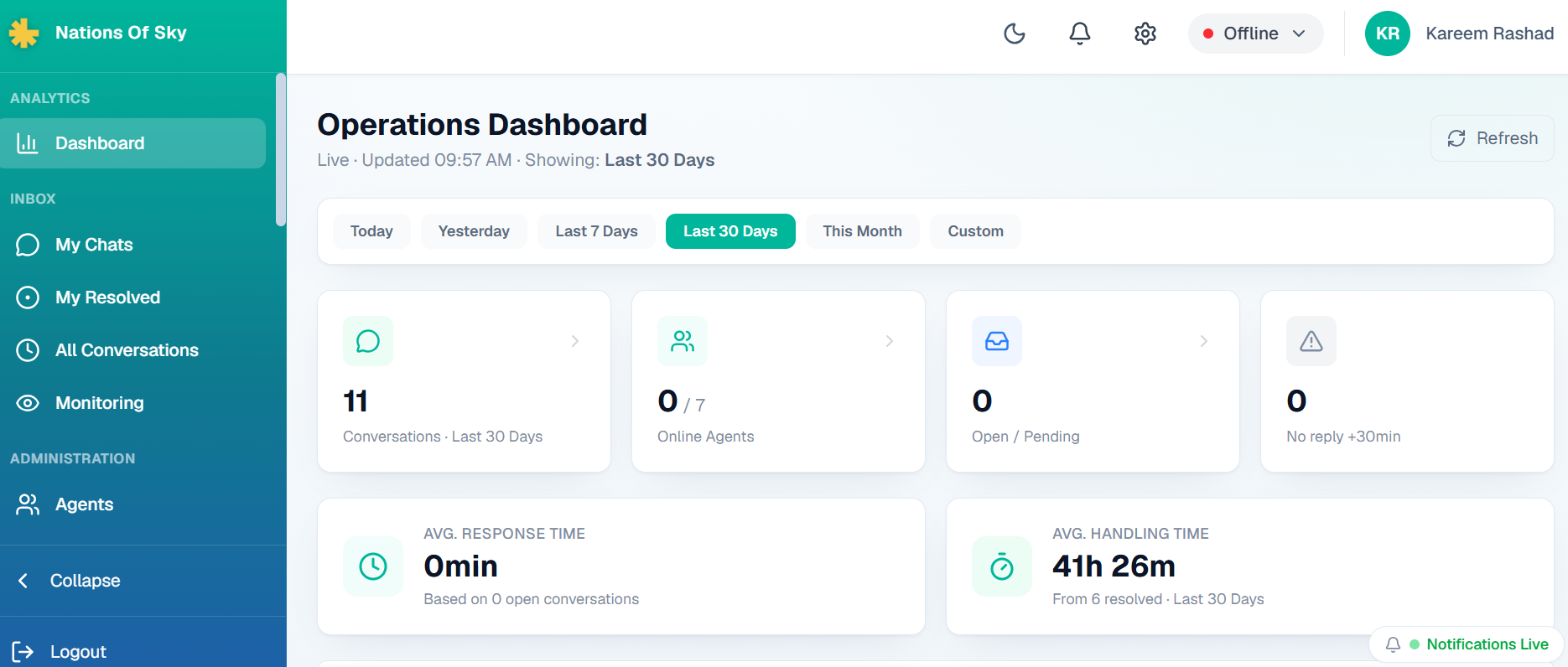
01 · OPERATIONS DASHBOARD

The one screen everyone opens first

Live counts, response and handling averages, and instant filters for today / yesterday / last 7 or 30 days. Everything auto-refreshes so shift leads don't have to keep hitting reload.

Operations dashboard with KPI cards
KPI cards — conversations, online agents, open queue, no-reply flags, response and handling averages.
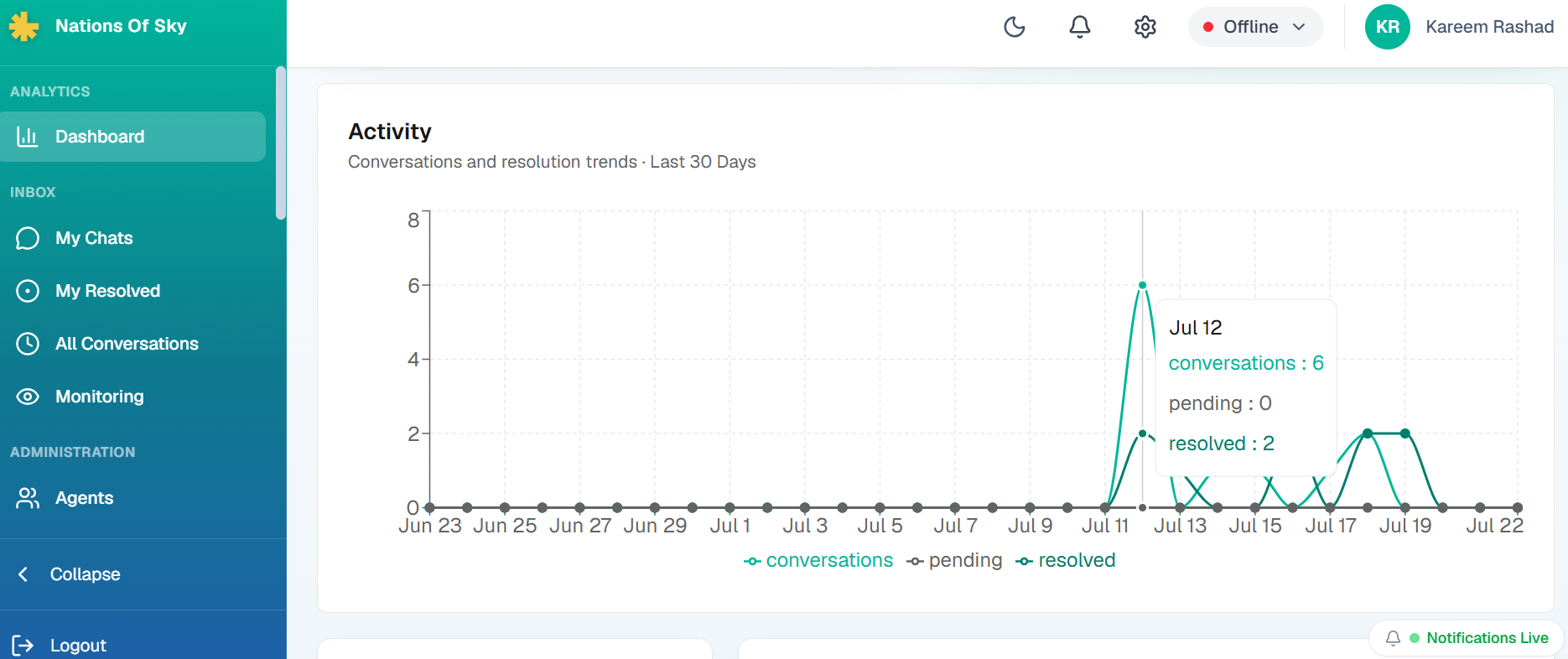
Activity chart
Activity trend — conversations vs pending vs resolved over 30 days.
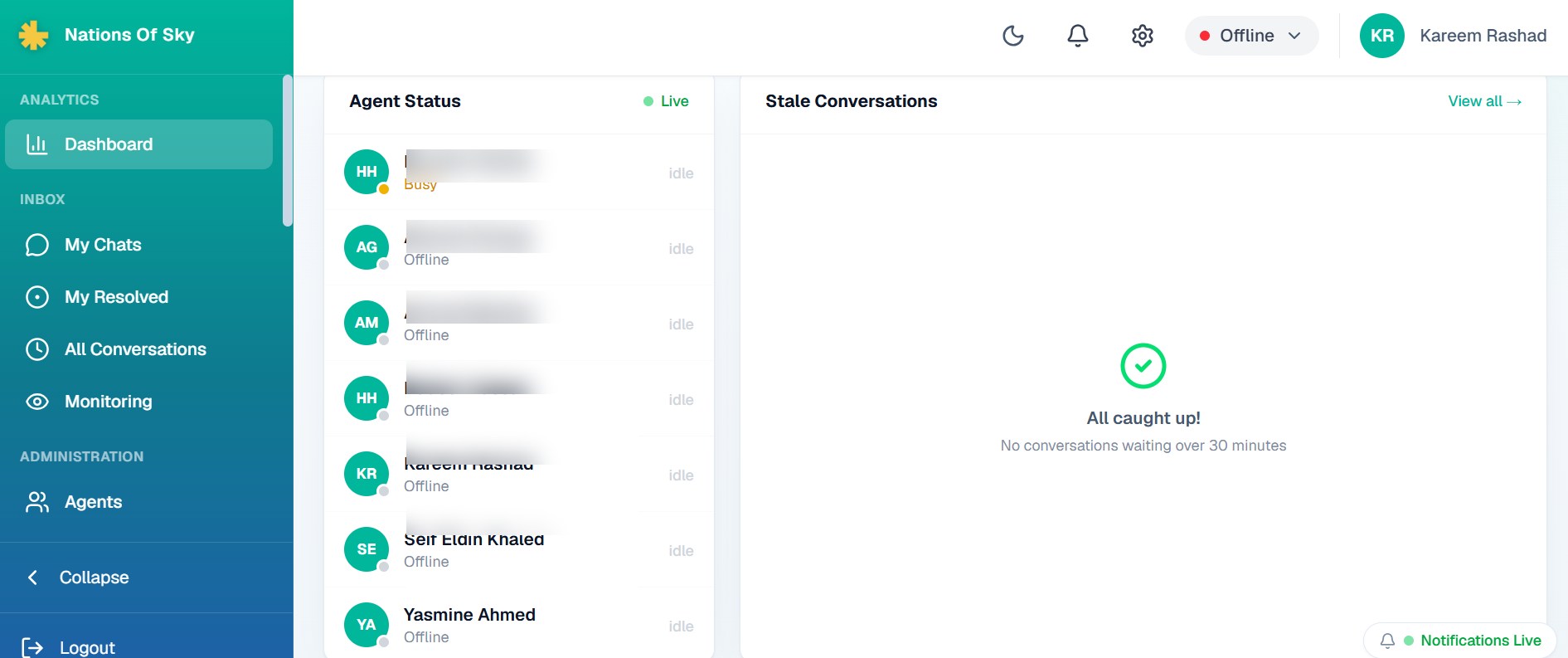
Agent status panel
Live agent status + stale conversations panel (30-minute silence flag).
02 · INBOX & ROUTING

Shared inbox with race-safe assignment

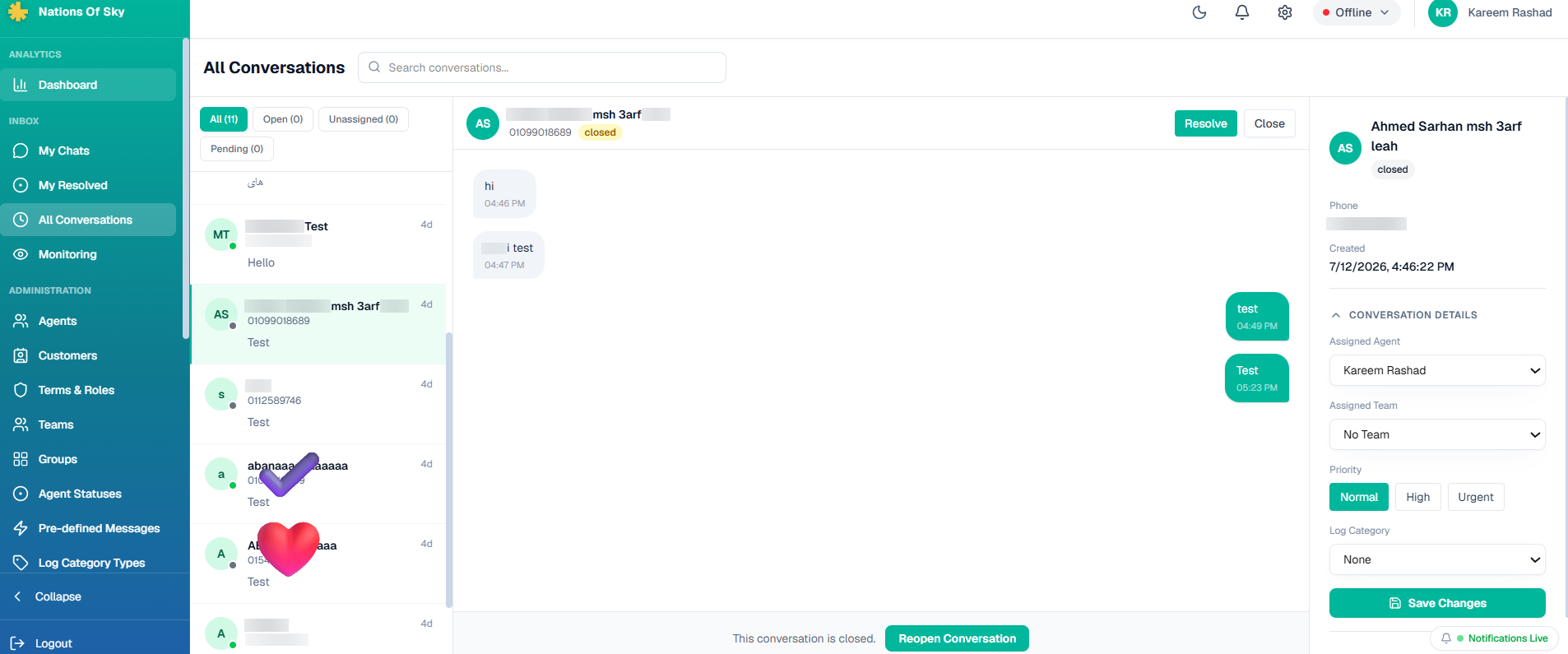
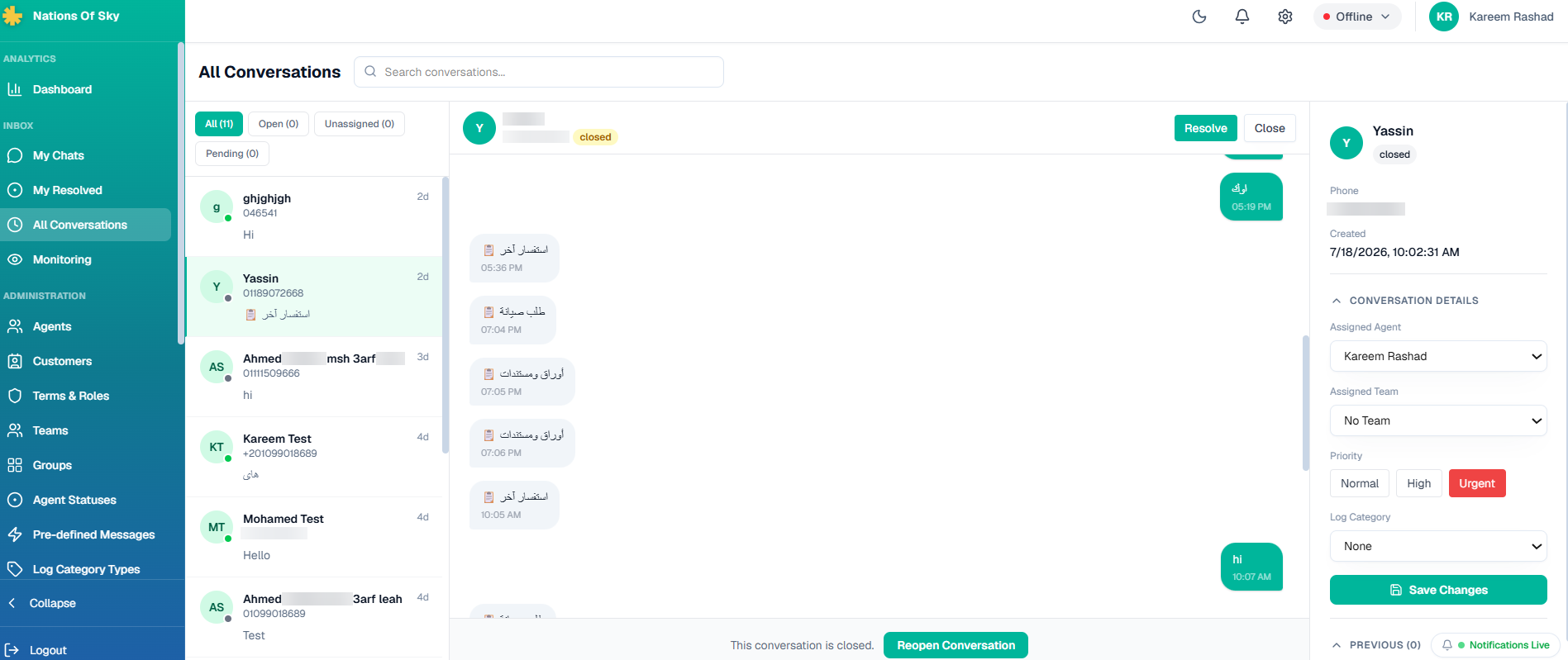
Multiple agents watching the same inbox in real time. Assignment is atomic — two agents can't accidentally grab the same conversation. Every conversation is tagged with priority, log category, team, and internal notes so the next agent doesn't restart from zero.

Open conversation with sidebar
Open conversation view — messages on the left, contact details and assignment controls on the right.
Conversation with priority controls
Priority levels (normal / high / urgent) and log categories tag every conversation.
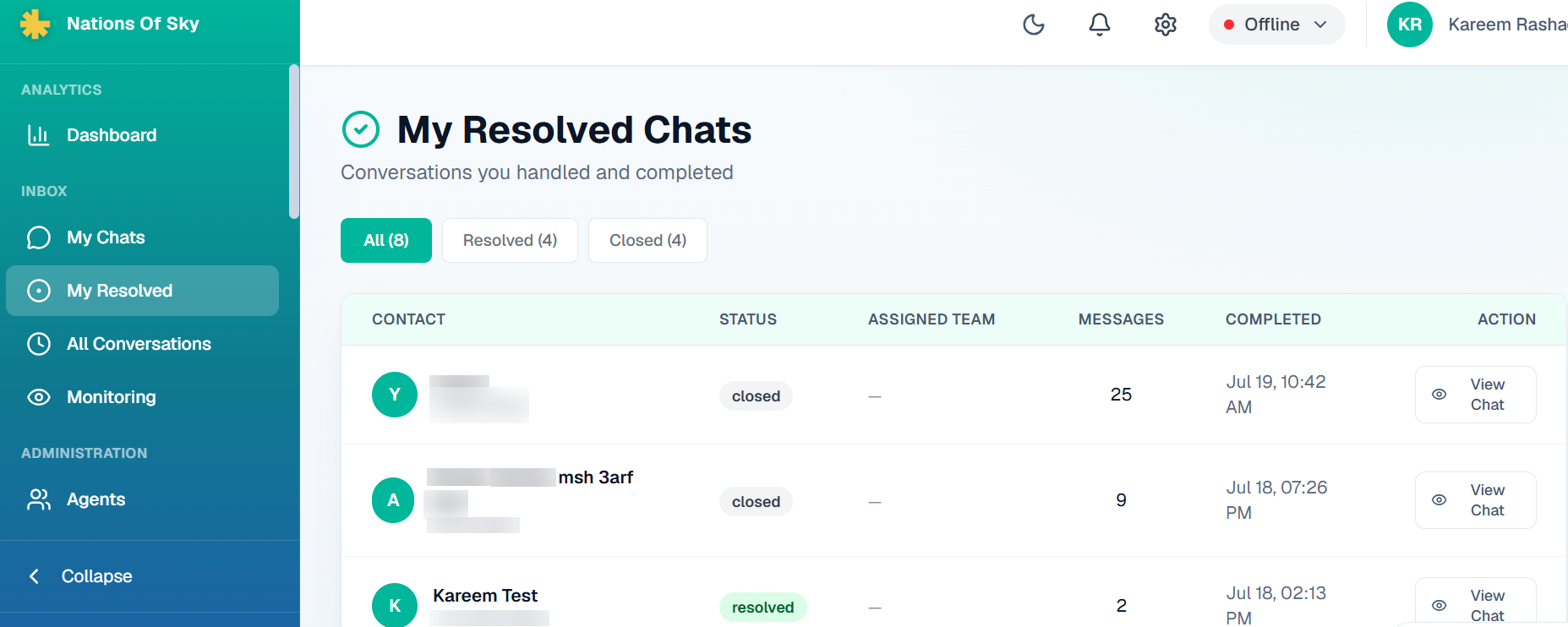
My resolved chats list
Per-agent resolved list — filterable by status, sorted by completion time.
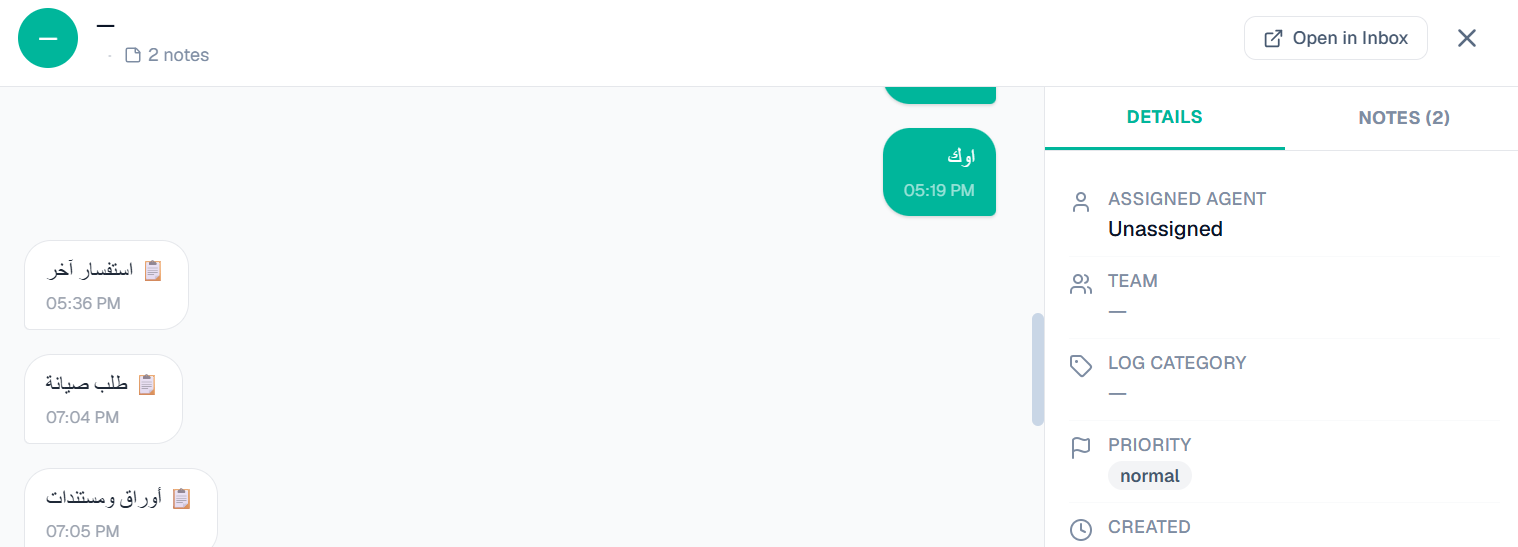
Notes panel
Notes panel — the memory that survives when a conversation gets reassigned.
03 · REPORTS & MONITORING

Reports that answer real questions

Five live reporting views, each answering a specific management question: When are our peak hours? Who's fastest to first response? Which teams are hitting SLA? What's the resolution rate this week vs last? All exportable to CSV.

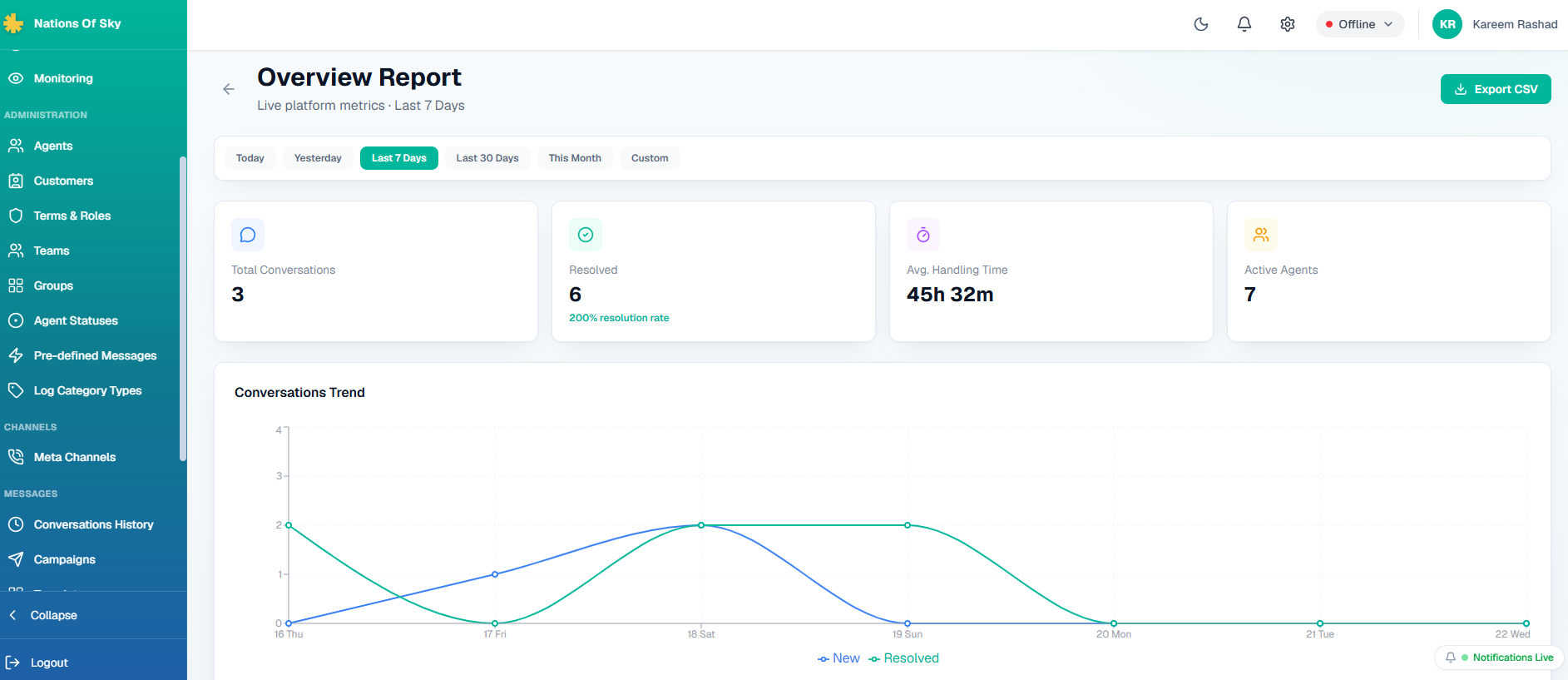
Overview report
Overview — total conversations, resolution rate, handling time, active agents, and trend chart.
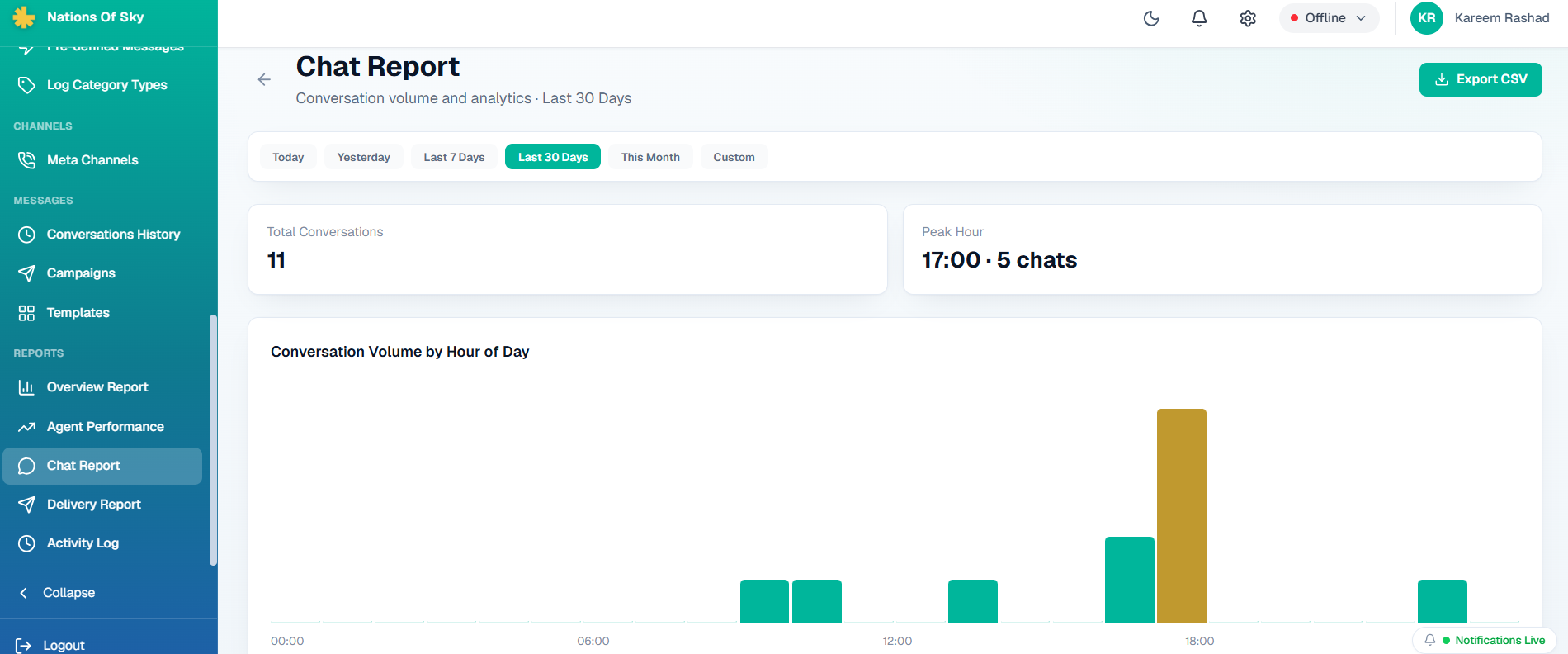
Chat volume report
Chat report — conversation volume by hour of day, so we can see peak load and staff for it.
TECHNICAL DEEP-DIVE

Real-time routing without race conditions

The hardest problem wasn't the WhatsApp integration or the reporting engine — it was making sure that when five agents watch the same inbox in real time, exactly one of them ends up owning each conversation. Naive implementations either double-assign (bad) or need a coordinator process (heavy).

The platform solves this with atomic upserts at the database level. Assignment is a single Postgres query with row-level locking; the losing agents' UIs get pushed the new state through Supabase Realtime within a second. No coordinator, no polling loop, no chance of duplicate work.

Permissions run through the same discipline. Every capability — read this inbox, reassign this conversation, close without resolution, run this report — is one row in a Terms & Roles matrix. Adding a new role is one insert, not a hunt through fifteen files.

More